
There is an AI assistant inside your Instagram right now
Most people scroll Instagram every day without knowing there is a powerful AI hidden inside the app. No download needed, no account to create, no extra cost. Meta AI is already installed in your Instagram and waiting to be used.
You can ask it questions, generate images, write captions, get post ideas, and have full conversations, all without leaving Instagram. This guide shows you exactly where to find it and how to use every feature.
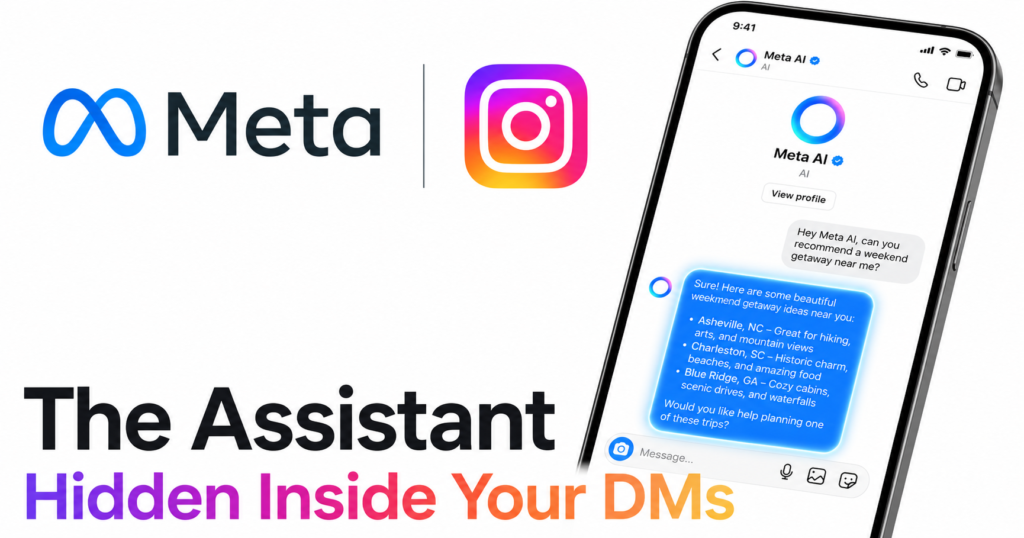
What is Meta AI on Instagram?
Meta AI is the artificial intelligence assistant that Meta, the company behind Instagram, Facebook, and WhatsApp, has built directly into its apps. On Instagram it lives inside your DMs as a dedicated chat contact. It is powered by Meta’s Llama AI model and connected to the web, which means it can answer questions about current events, not just things it was trained on.
It is completely free and requires no subscription.
| Feature | What it does |
|---|---|
| AI chat | Answer any question, explain topics, give advice |
| Image generation | Create images from text descriptions inside the chat |
| Caption writing | Write captions for your posts with different tones |
| Post ideas | Brainstorm content ideas for your profile |
| Web search | Find current information from the internet |
| Group chats | Add Meta AI to a group conversation |
Step by step: How to find and use Meta AI on Instagram
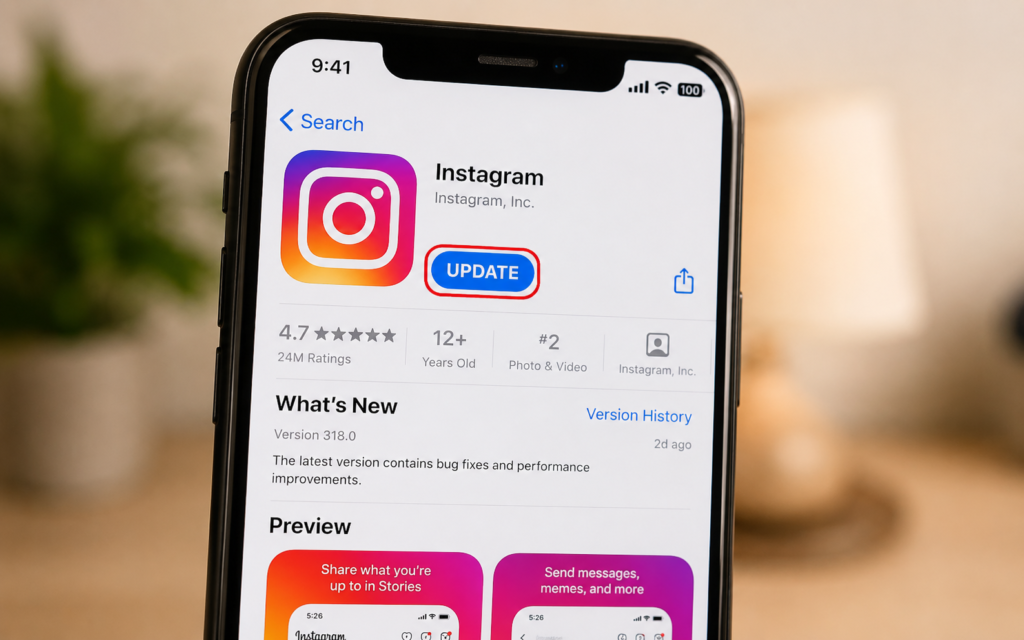
Step 1 — Update your Instagram app
Meta AI is available on the latest version of Instagram. If you do not see it, update the app first.
- iPhone: App Store → search Instagram → Update
- Android: Google Play Store → search Instagram → Update
Note: Meta AI availability depends on your country. It is fully available in the US, UK, Canada, and Australia. If you are in another region, some features may be limited or arriving soon.
Step 2 — Open your DMs and find Meta AI
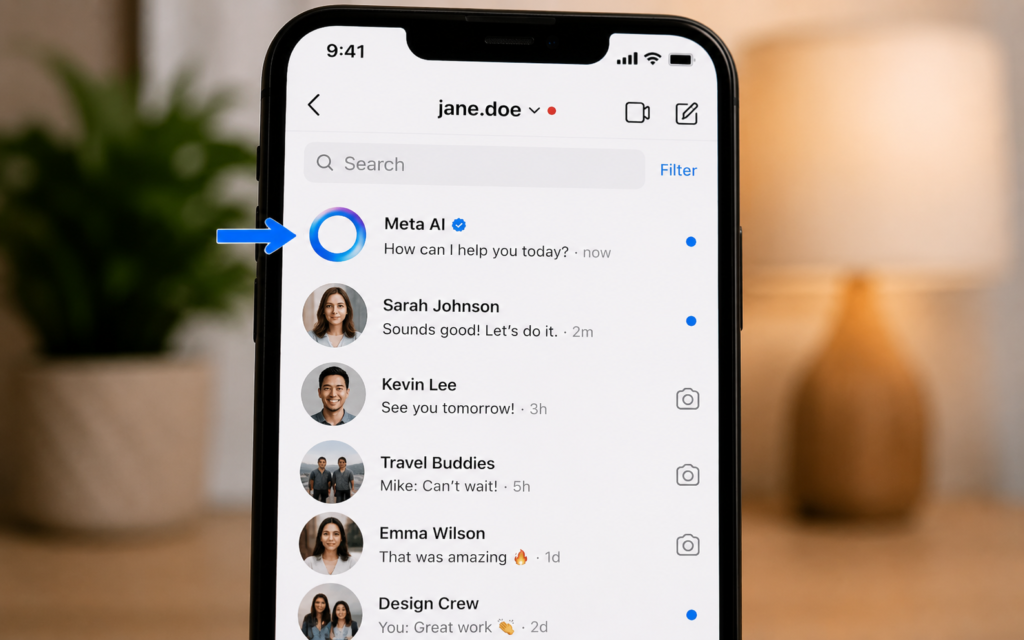
Open Instagram and tap the DM icon at the top right of your feed. At the top of your DM list you will see a chat labeled Meta AI with a blue circle icon. Tap it to open the chat.
If you do not see it at the top, tap the search bar inside DMs and type Meta AI to find it.
Step 3 — Ask your first question
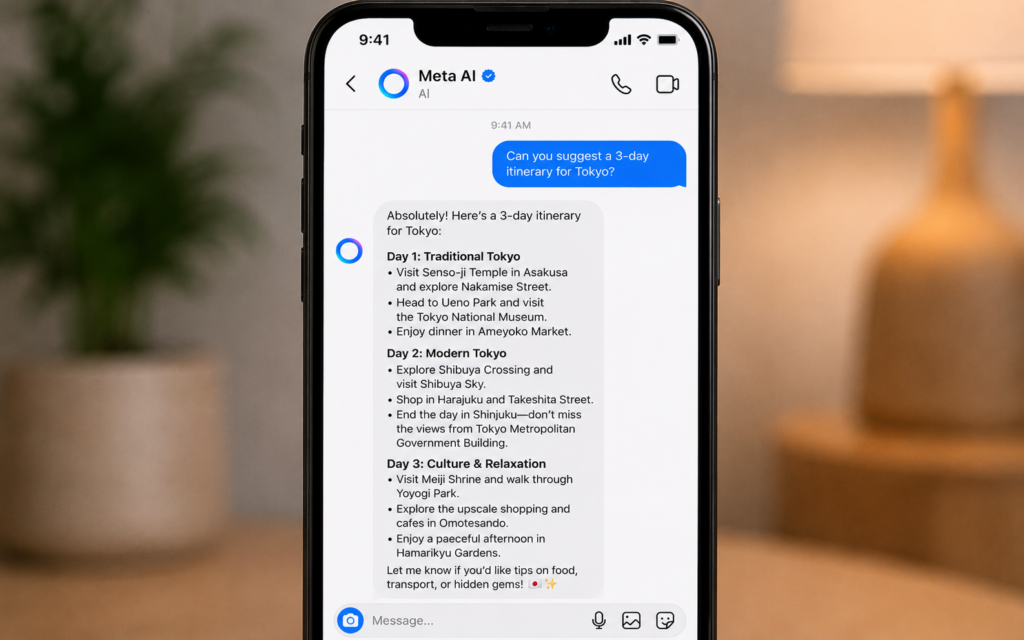
Tap the message box at the bottom and type any question or request. Meta AI responds instantly. You can ask anything, from simple facts to complex questions.
Good first messages to try:
- “What is trending on Instagram right now?”
- “Give me 5 caption ideas for a travel photo”
- “Explain what machine learning is in simple words”
- “What should I post this week on my food account?”
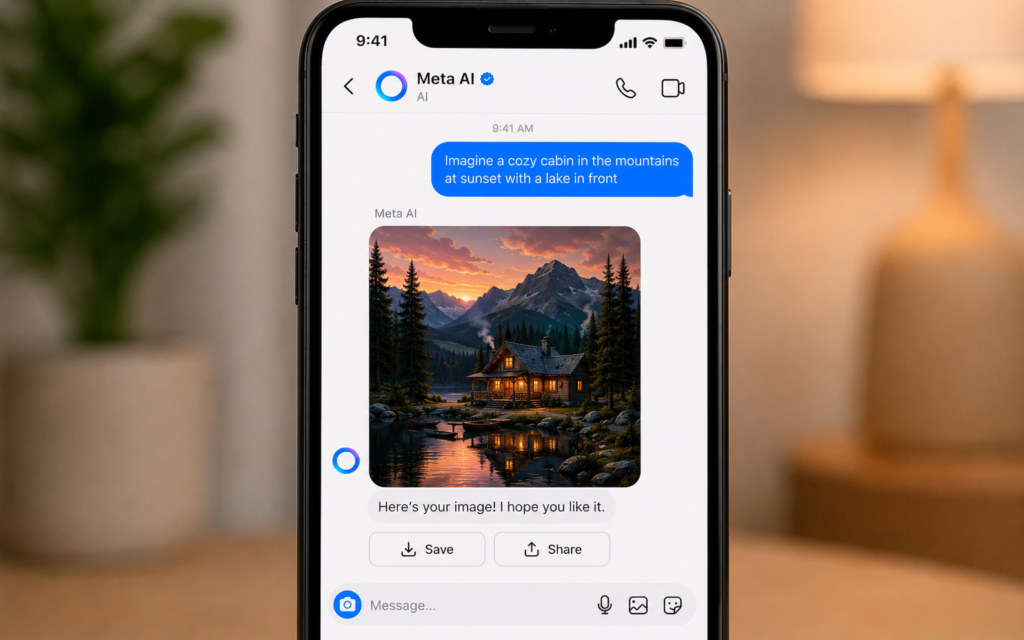
Step 4 — Generate an image inside the chat
Meta AI can create images directly in the chat. Type “imagine” followed by your description to generate an image.
Examples:
- “Imagine a sunset over a Moroccan city, warm colors, cinematic”
- “Imagine a minimalist logo for a coffee brand, black and gold”
- “Imagine a flat illustration of a person working from a beach”
The image appears directly in the chat. You can save it to your phone or share it directly to your Instagram Stories.
Step 5 — Write captions for your posts
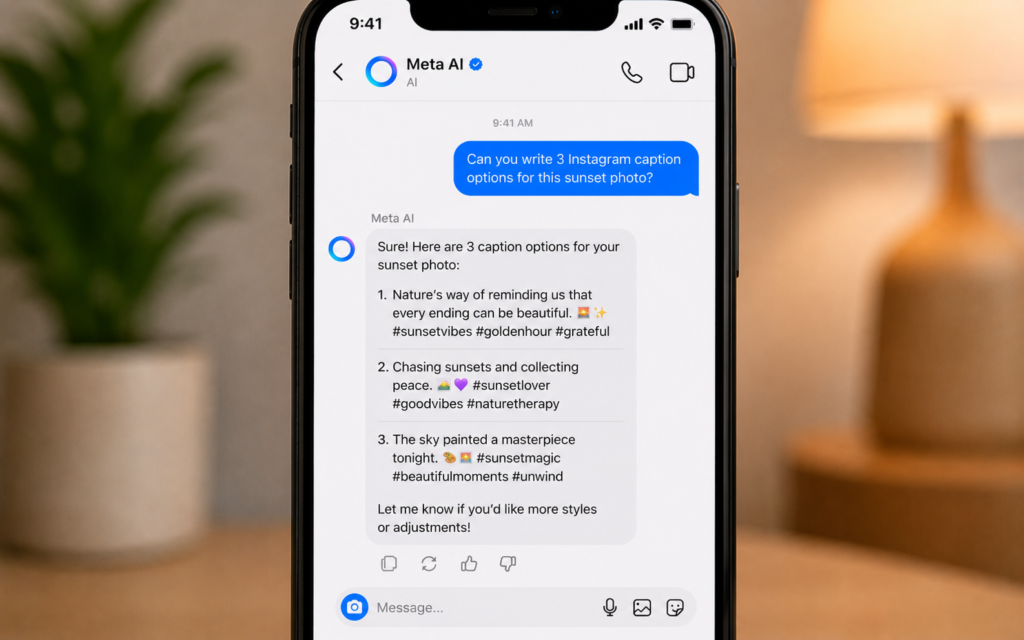
Before posting a photo or Reel, open Meta AI and ask it to write your caption. Give it context about the post and your tone.
Example prompts:
- “Write a funny caption for a photo of me hiking in the mountains”
- “Write a professional caption for a product launch post, formal tone”
- “Write 3 different caption options for a coffee shop photo, include hashtags”
- “Rewrite this caption to sound more engaging: [paste your caption]”
Tip: Always tell Meta AI your account niche and audience. For example: “I run a fitness account for beginners, write a motivational caption for a workout photo.” The more context you give, the better the caption.
Step 6 — Use Meta AI in the search bar
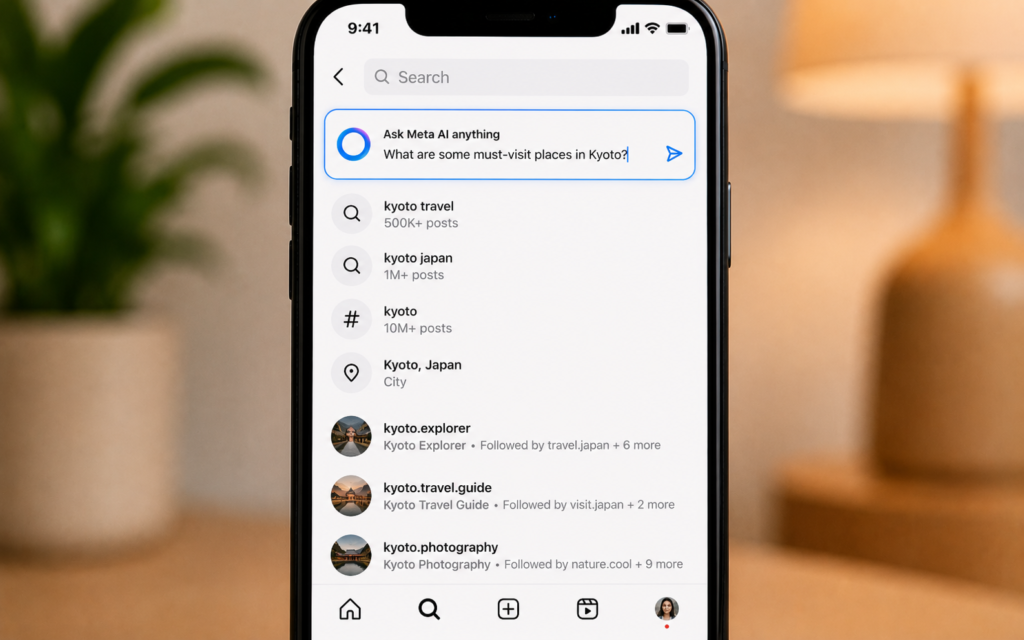
There is a second way to access Meta AI on Instagram. Tap the search icon at the bottom of Instagram. At the very top of the search screen you will see a Meta AI search bar. Type your question there to get instant answers without opening the DM chat.
This is perfect for quick questions while you are browsing Instagram.
Step 7 — Add Meta AI to a group chat
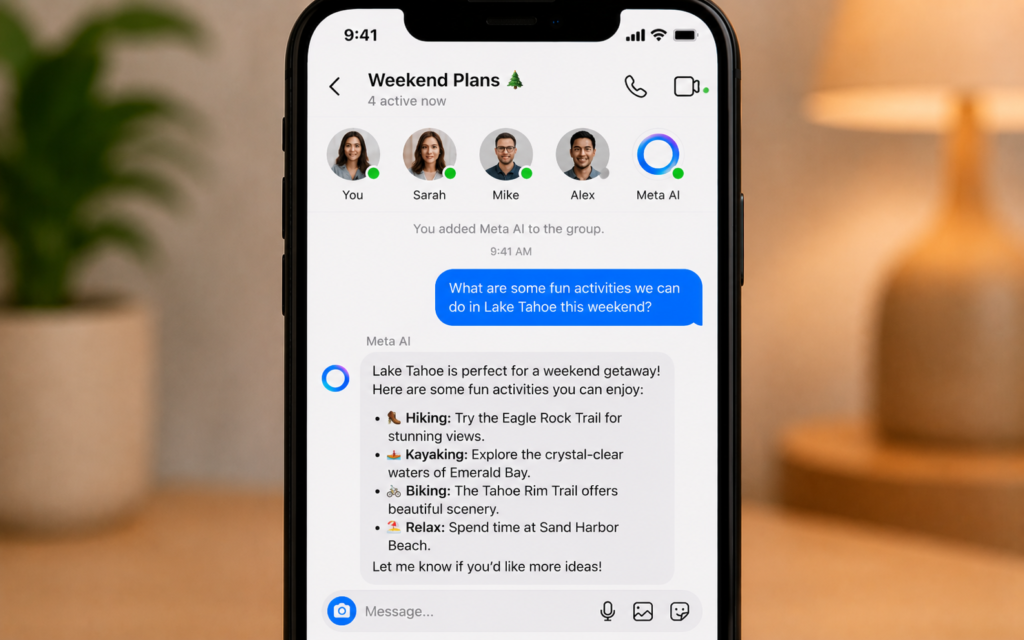
You can also add Meta AI to any group conversation on Instagram. Open a group DM, tap the group name at the top, scroll down and tap Add people, then search for Meta AI and add it.
Now everyone in the group can ask Meta AI questions and see the responses together. Perfect for friends planning a trip, a team brainstorming content ideas, or a group deciding where to eat.
Best ways to use Meta AI on Instagram
| Who | How to use Meta AI |
|---|---|
| Content creators | Get caption ideas, hashtag suggestions, and post concepts instantly |
| Small businesses | Write product descriptions, promotional captions, and reply templates |
| Students | Ask quick questions while browsing without switching apps |
| Travelers | Ask for recommendations, translations, and local tips |
| Anyone | Generate fun images to share in Stories or group chats |
What Meta AI on Instagram cannot do
| Limitation | Alternative |
|---|---|
| Cannot post to your feed for you | Copy the caption it writes and paste it manually |
| Cannot see your private posts or analytics | Use Instagram Insights for analytics |
| No memory between sessions | Start each chat with brief context about yourself |
| Cannot edit your existing photos | Use ChatGPT Image or Adobe Firefly for photo editing |
| Cannot be fully turned off | You can remove the shortcut from settings but the chat remains |
5 power tips for Meta AI on Instagram
- Use it before every post — spend 2 minutes asking Meta AI for caption options before you post anything
- Be specific about your niche — “I run a Moroccan food account” gets better results than no context
- Generate images for Stories — use the imagine command to create unique visuals for your Stories instead of stock photos
- Ask for hashtag sets — “Give me 20 hashtags for a travel photo in Morocco, mix of popular and niche”
- Use it to reply to comments — paste a tricky comment and ask Meta AI how to respond professionally
Your Instagram just got smarter
Meta AI is already in your Instagram. You do not need to download anything or pay anything. Open your DMs, find the Meta AI chat, and send your first message today.
The creators and businesses using it right now are saving hours every week on content creation. The ones ignoring it are falling behind.
Want to go further with AI on your phone? Read our next guide: Gemini in Google Docs: Write a Full Document from One Sentence